

Question and answer:
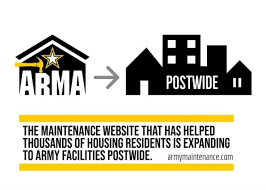
Q1: What is ArMA?
A1: ArMA is a simple interface for use in all Army owned facilities around the world, where residents submit work requests and provide a description of their case. They can include photos of the maintenance problem using the app’s camera feature and access a maintenance catalog and list of services. Users can access ArMA by typing https://maintenance.army.mil into their browser or by linking to it from the My Army Post App, the Army’s enterprise mobile app for installation services.
Q2: I live at Detrick Homes, do I use ArMA?
A2: Those who reside in non-barracks housing at Ft. Detrick, will continue to submit their work order requests through Detrick Homes. They have their own reporting system and that will remain the same. This change only impacts individuals living in the barracks and employees who work on Ft. Detrick.
Q3: It’s easier to call, can I still call?
A3: DPW operations and maintenance will use a blended approach but we encourage anyone submitting a work request to establish an account with ArMA as soon as possible. All emergency maintenance requests should still be submitted to the call center for immediate action. Once we are fully transitioned to ArMA, it will be a more efficient way for DPW to accept work orders and for those individuals submitting work orders to check on the status of their order.
Q4: If I can’t talk to a live person to describe the issue how is this an improvement?
A4: ArMA enhances the ability to access up-to-date information about the status of maintenance requests that have been submitted and provides feedback once the work is accomplished. The new service allows the user to enter requests via the website or app 24/7 and receive tracking numbers immediately without having to wait for a service representative to call back. Users can also check status updates of their service issues, submit questions, comments or responses, and complete automated customer satisfaction surveys through the system.
5: What about emergency work order requests?
A5: For emergency maintenance requests – impacting life, health or safety – immediately call the emergency maintenance request phone number at (301)619-4357
Instructions for setting up ArMA account:
Follow the instructions below or watch the ArMA account setup how-to tutorial video here.
- Go to https://maintenance.army.mil/arma
- Sign in with CAC or Select “No CAC or not registered”
- Enter your email address
- Most users can self-certify (Military, GOV and Contractor) with their work email addresses (.ctr/.mil/ @dyn-intl.com/aafes.com/dliflc.edu). Otherwise, have a CAC holder with a .mil account within your organization sponsor you
- Enter your full name and personal/desk telephone number
- For Garrison, enter Detrick
- For Site, select Fort Detrick
- For Building, select your facility number
- For Unit, select your Military or Government affiliation
- Finally, create a password